Use a specific buying context
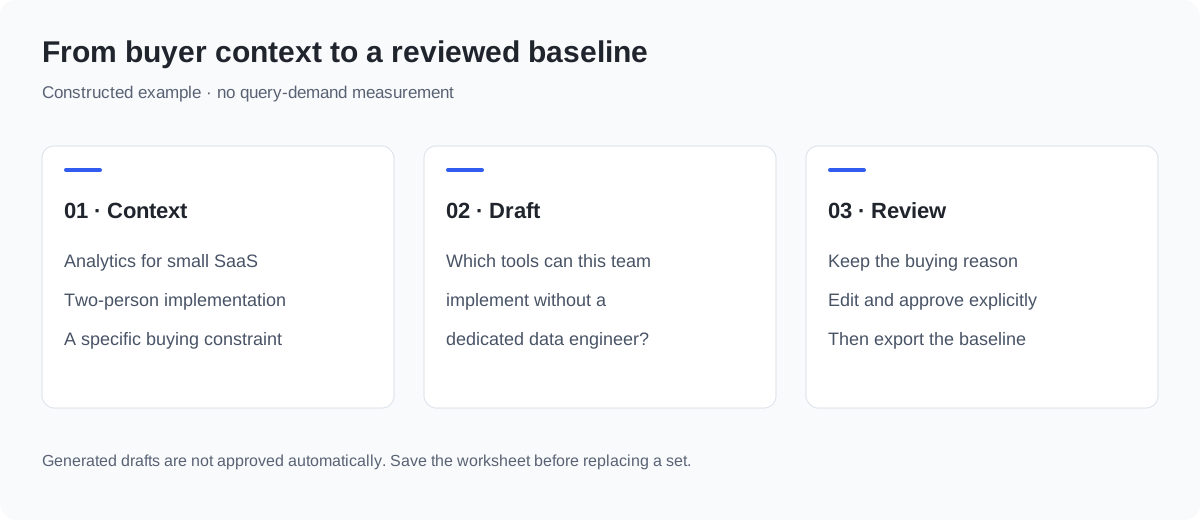
Describe a product category, the buyers who evaluate it and one meaningful constraint. “Analytics software for small SaaS teams with a two-person implementation team” is easier to review than a broad request for more prompts.
An optional brand adds branded evaluation questions. Keep these separate from non-branded discovery questions when reporting mentions.
A question worth keeping has a reason
Take an analytics product for a small SaaS team with a two-person implementation team. One useful draft is: “Which analytics tools can a small SaaS team implement without a dedicated data engineer?”
| Review field | Example decision |
|---|---|
| Buyer task | Evaluate implementation effort |
| Type | Non-branded evaluation |
| Inclusion reason | Implementation capacity is a stated buying constraint |
| Evidence still needed | A discovery note or another actual buyer signal |
| Review status | Draft until a reviewer approves it |
Remove a question about enterprise data-warehouse procurement if that buyer is outside scope. Keep a separate branded question about the supplied product. These are constructed examples, not logged model queries or demand measurements.
Treat the output as drafts
The builder combines transparent question patterns with your inputs. It does not claim to discover logged ChatGPT prompts, customer demand or search volumes. Edit awkward wording, remove questions outside the product’s scope and add questions from actual discovery calls or search evidence.
Use the prompt selection guide to record why each question belongs in the baseline.
Export a reviewed question set
Review each row before using it in a collection. Choose its intent and branded status, keep or deselect it, add an inclusion reason and set its actual review status. Editing the question, intent or branded status resets approval. Remove duplicate wording when useful; the first version is kept, and the removal can be undone before another edit.
The review worksheet includes every row, including deselected drafts, with its actual status and reason. The approved baseline includes only selected, approved, non-empty questions with a reason; duplicate wording is included once. You can add your own questions or delete rows. No approval is inferred from a generated draft.
Prompt tracking explains why wording, market and observation method must remain stable before comparing samples.
Both CSV exports retain the product category, target buyers and brand used to build that set. If you edit the background without rebuilding, exports and manually added rows keep the original set context. Rebuild when you want a new baseline.
Move from a draft to an observation
Choose the questions that represent real buyer tasks. Record the observed engine, surface, collection date and missing coverage. A generated question is not a measurement until an answer has actually been collected.
Follow the ChatGPT brand tracking guide for the evidence you need to keep.
Questions, answered.
Does the generator use real query demand or search volume?
No. It combines visible question patterns with your supplied context. The examples are illustrative. Validate demand using customer research and search evidence before treating a set as representative.
Can I export work that is still under review?
Yes. Download the review worksheet to keep all rows and their current choices. The approved-baseline export is available only when at least one selected question is approved and has an inclusion reason.
Are my drafts saved to an account?
No. This public builder keeps its current state in the browser. Copy or download the worksheet before refreshing or building another set.