Name the change someone can finish
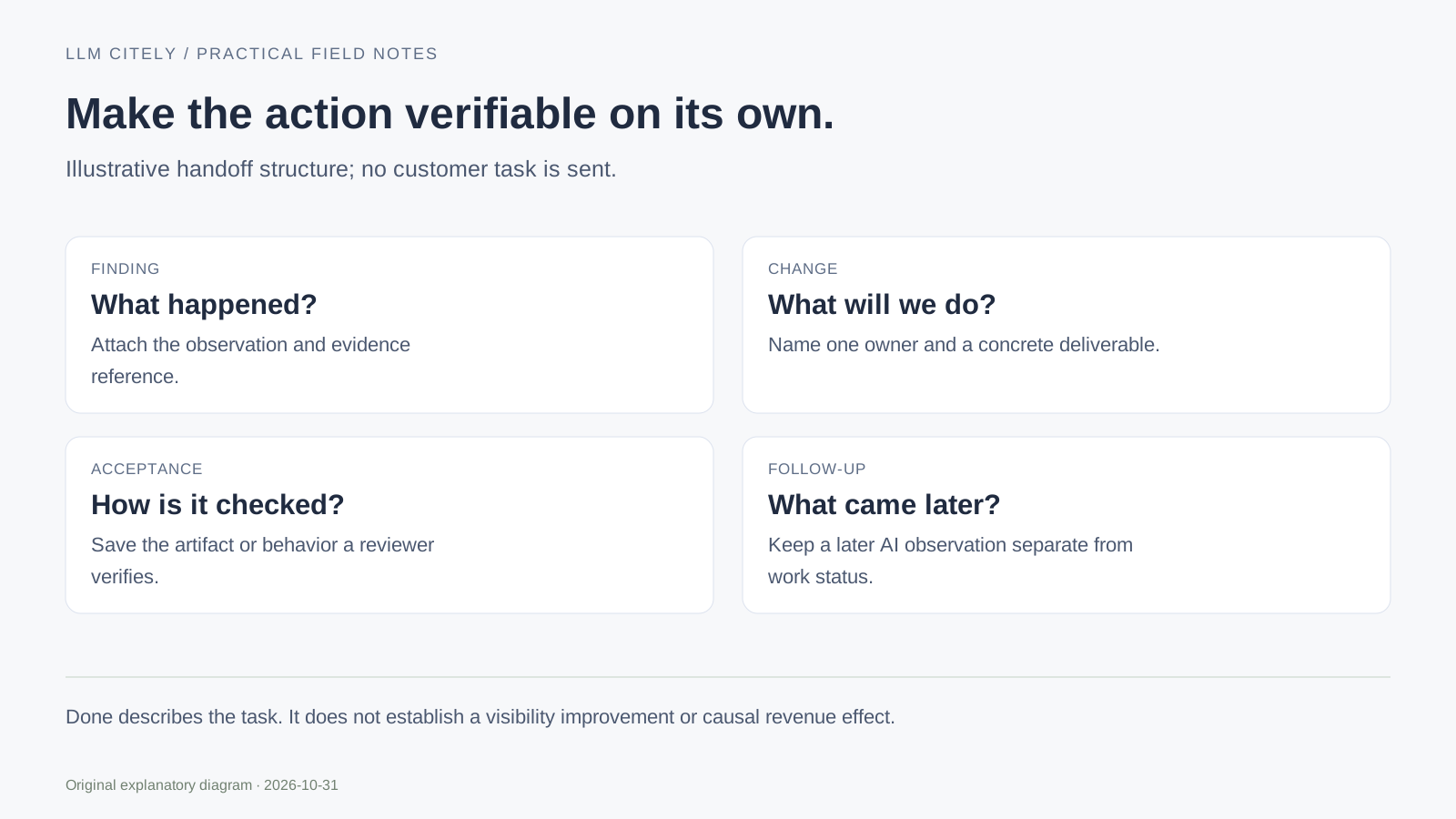
Start with the observation and source reference. Then write the specific change and the person responsible for it. A useful task can be checked independently of the next AI answer.
For example, “make the export documentation more complete” needs a concrete deliverable. “Add the verified file-field table to the existing export page and attach an example CSV” gives an editor and reviewer a shared acceptance target.
Keep the observation scope with the project: the question version, surface, market and period. Use the audit checklist if you are still collecting the original findings.
Do not merge finding, hypothesis and result
| Field | What belongs here |
|---|---|
| Finding | The observable gap or problem |
| Evidence | Answer, page or capture reference and context |
| Specific change | The task to perform |
| Owner and priority | Who acts and why it is sequenced here |
| Acceptance condition | The artifact or behavior a reviewer must check |
| Recheck date | A planned next review, when appropriate |
| Work status | Open, In progress, Blocked or Done |
| Completion evidence / observation | What was completed and what later evidence returned |
The template requires an owner and acceptance condition for each action. A Done row also needs completion evidence. That requirement does not validate the evidence automatically; the reviewer still needs to read it.
A blocked task can be the honest outcome
Load the illustrative plan to see two different tasks. One concerns adding verified export information; the other is blocked while the maintainer waits for the actual deployed robots file.
The second task should not be marked complete because a pasted rule allowed a path. The served file and actual network response are additional evidence. Preserve the blocker and the person who can resolve it.
The example has no customer result and makes no promise of increased AI visibility. Replace it with your own records before sharing the export.
Export the plan and review the right result
Prepare the action CSV, then open the downloaded file and verify the scope, dates and owners. Up to 20 actions can be recorded. Editing any input clears the prepared export until you validate the current version again.
The file is generated in your browser. It does not create workspace tasks, send email, contact a publisher or publish a page. CSV cells are exported using the site's safe CSV formatting, including formula-like input handling.
For an editorial task, attach the content brief. For a client summary, use the report template to describe completed work, unresolved coverage and later observations separately.
Questions, answered.
Does this create tasks in my account?
No. This public template prepares a local CSV. The account workflow is separate.
Does Done mean the brand became more visible?
No. Done describes the assigned work. A later AI observation needs its own evidence and interpretation.
Sources and further reading
Examples marked illustrative are not customer measurements.