Define the business and audit deliverables
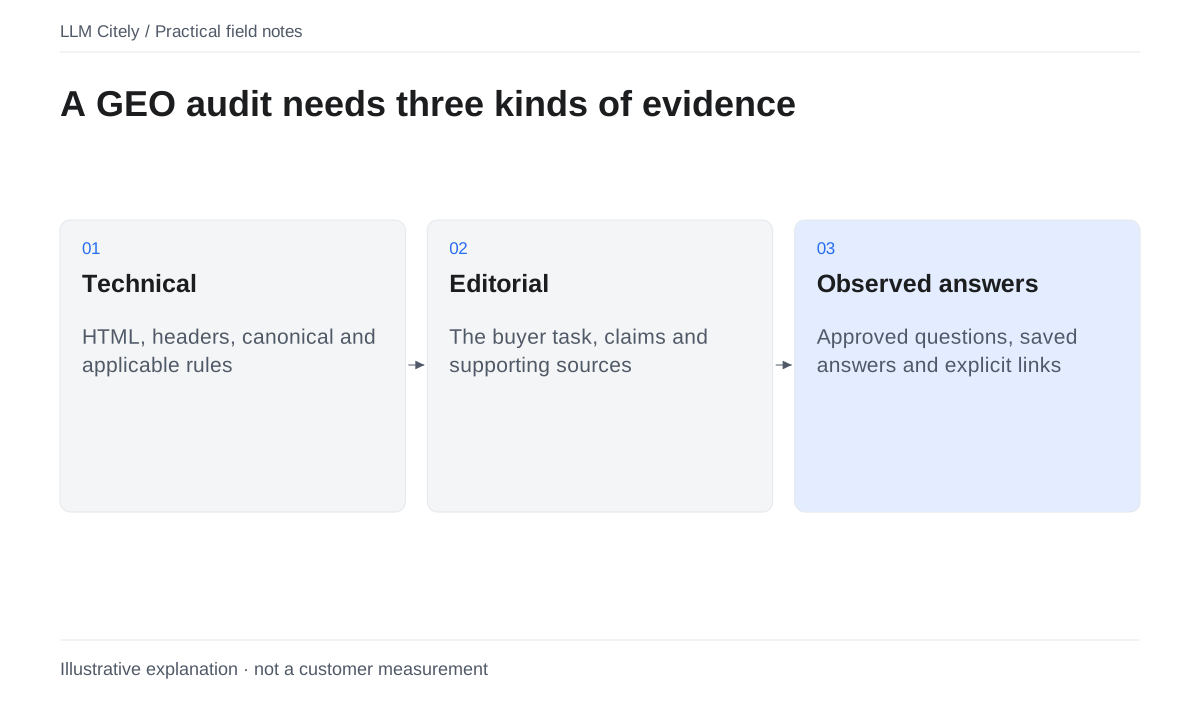
A GEO audit reviews how a defined business is represented in a stated set of AI answers and whether relevant website pages support the buyer task. Start with the decision your client or team needs to make. Record the brand, domain, approved aliases, products, audience, market and language, then agree which competitors belong in the comparison.
Set the boundary before collecting evidence: which questions, platforms, pages and dates are included, how many observations are planned, and who will use the report. A short access review can be useful, but label it as an access review. A full GEO audit needs answer observations as well as website checks.
| Audit area | Evidence or deliverable to keep |
|---|---|
| Business and customers | Confirmed brand, aliases, offers, audience and decision |
| Buyer questions | Approved wording grouped by topic and intent |
| AI platforms | Named user experience, market, language and collection dates |
| Competitors | Agreed competitors and aliases used to inspect answers |
| Answer visibility | Original answers, readable observations and explicit missing results |
| Citations and sources | Exact URLs, owned/competitor/independent classification and extraction completeness |
| Website access and content | Page task, response/rules evidence and factual content review |
| Priority | Impact on the buyer task, evidence confidence and estimated effort |
| Actions | Owner, target page, change and acceptance condition |
| Recheck and report | Compatible baseline, completed work, coverage and limitations |
The public AI Readiness Checker inspects one public static HTML page or supplied HTML only. It does not fetch the website when using pasted HTML; URL mode retrieves one static page where configured, sample AI answers or perform this whole audit. The HTML walkthrough below illustrates one technical part of the method; it is not a completed brand-visibility audit.
Build a question and platform baseline
Choose a manageable set of real buyer questions covering the customer topics you agreed. Include the situations that matter: buying a solution, comparing alternatives and solving a relevant problem. A question such as “Which analytics tools suit a small SaaS team?” tests a different task from “How do I check conversion tracking?” Keep both only when the audit needs both decisions.
Review the set with the business owner. Save the exact wording, topic, intent and question version. Record the platforms and user experiences, market/language settings and observation window. An API model response, a ChatGPT web answer and a Google AI Overview are different observations; do not silently merge them under one engine label.
Plan the workload before running it: question count × platform count × observations per question. Use the available allowance and quoted costs to set the sample size. There is no universal number of prompts that makes an audit complete, and one run should not be sold as a permanent view of visibility.
Use the buyer-question guide to prepare the set and the visibility measurement guide to define coverage and denominators. This is a method for your own audit; no live platform collection is claimed for the HTML walkthrough.
Choose website pages for the technical review
For the website part of the audit, choose a relevant public page and the buyer question it should answer. A product's analytics page might need to explain what is measured, what a user receives and what conditions apply. Put that task beside the URL on the audit sheet before opening a checker.
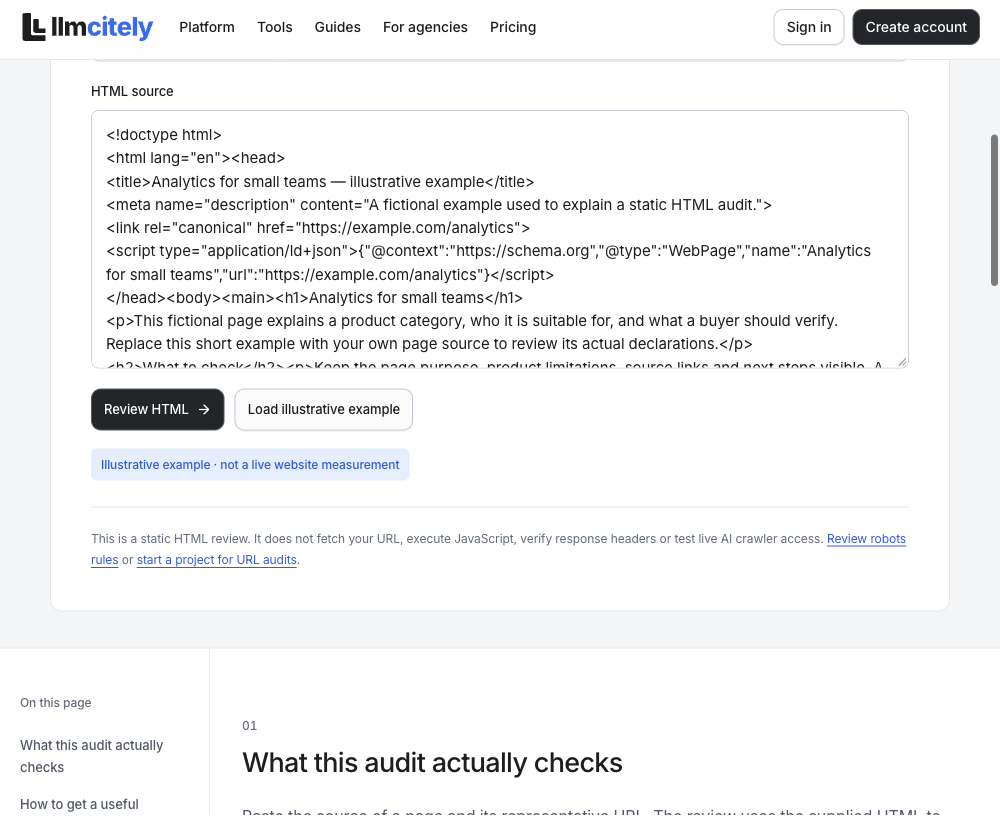
To reproduce this walkthrough, open the AI Readiness Checker and select Load illustrative example, then Review HTML. The example associates saved markup with https://example.com/analytics. It is demonstration input, not a customer page or a live request to that address. The exported result identifies its scope as “Supplied HTML only; no website request.”
When working on your own site, replace the example with the HTML you actually want to inspect. If you copied page source, note where and when it was copied. If a page relies on rendering, distinguish source HTML from a rendered DOM capture. Keeping that input description prevents a later reader from treating one as the other.
Submit the HTML and inspect the summary
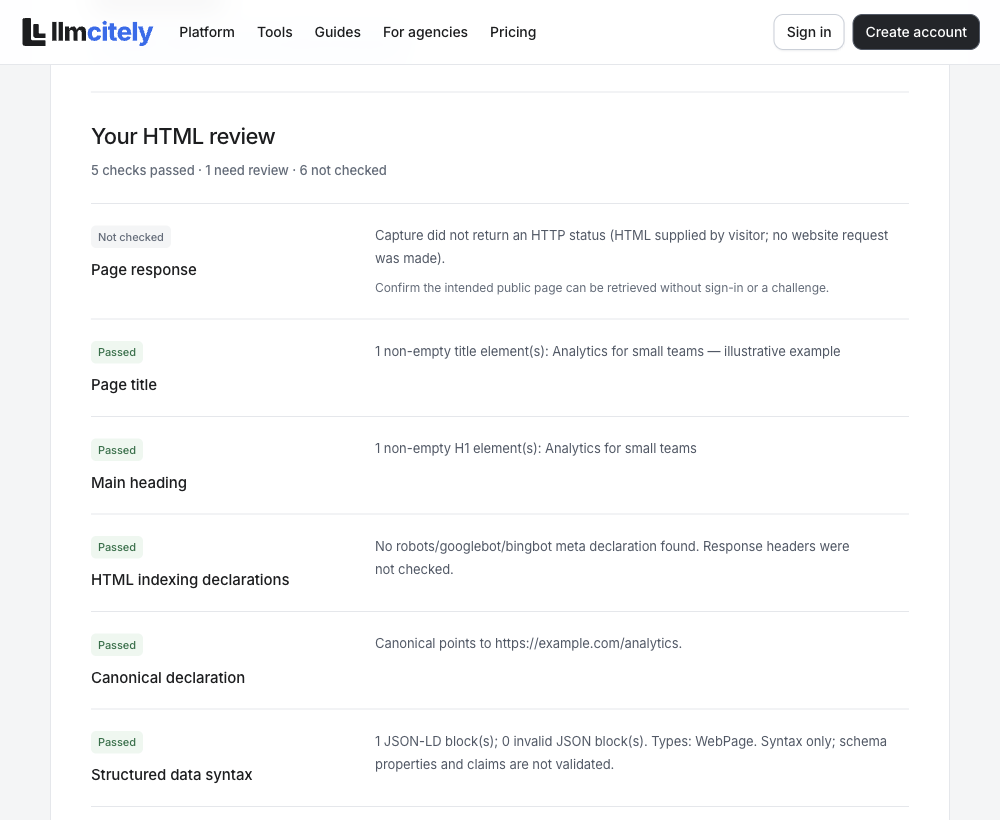
After Review HTML, read the result as a collection of checks. The completed example returned 5 pass, 1 review and 6 not checked. The input URL gives the declarations a page context; it does not turn submitted HTML into a network fetch.
| Check in the completed example | Result | What that means here |
|---|---|---|
| Page title | Pass | One nonempty title was found |
| Main heading | Pass | One nonempty H1 was found |
| HTML indexing declarations | Pass | No robots, googlebot or bingbot meta declaration was found |
| Canonical declaration | Pass | The canonical points to https://example.com/analytics |
| Structured data syntax | Pass | One WebPage JSON-LD block parsed, with no invalid JSON |
| Extractable static text | Review | 72 words and two paragraphs of at least 40 characters were counted |
The other six checks were unavailable: page response, robots.txt, HTTP indexing headers, AI crawler access, sitemap/llms.txt and authority/answer relevance. They are unperformed checks, not six defects.
Download the result from the tool and keep it with the submitted input. A reviewer can then reproduce the HTML check and see exactly which statements the result supports.
Read what each pass actually establishes
The title returned in this example is Analytics for small teams — illustrative example, and the H1 is Analytics for small teams. Both exist and identify the page. Read those values against the page's job; the parser cannot decide whether the wording answers the buyer's question.
The canonical result points to https://example.com/analytics. That matches the submitted page context, but the site owner still needs to decide whether this is the intended representative URL. The example does not establish a live redirect or a production canonical configuration.
The JSON-LD result reports one WebPage block and zero invalid JSON blocks. Its scope is syntax: it does not validate every schema property or the truth of claims in the data.
Finally, the indexing pass means no relevant meta declaration was found in this supplied HTML. HTTP headers were not checked. That is why the pass cannot be summarized as “Google can index the real page.” Each green row needs its own narrow interpretation.
Decide what the 72 words need to do
The check counted 72 whitespace-separated words and two paragraphs with at least 40 characters in the static HTML. It did not assess CSS visibility or JavaScript rendering. The review flag is an invitation to read that text, not a required word count to exceed.
Read the page against the question you wrote in step one. For an analytics explanation, can you identify the inputs, the output and a meaningful example? Can a buyer see any condition that would change their decision? If a required fact is absent, write the missing fact as an issue and assign it to someone who can verify it.
An issue might read: “The page explains the output but leaves the data source unclear. Ask the product owner to confirm the source and add a supported explanation.” This is an illustrative review action, not a finding claimed about the submitted example.
A short page that fully completes a narrow task can remain short. A long page can still fail if it repeats general promises instead of answering the question.
Check access outside the HTML result
The HTTP row is unfinished because that evidence was not obtained. For your own production URL, open the page in a browser's network inspector or use an appropriate HTTP tool, then record the final status, redirect destination and any access challenge. The example.com address used in this walkthrough is not a substitute for checking your real page.
Inspect the relevant host's robots.txt and any index directives as separate checks. A visible page and a crawler-allowed path can still be treated differently by a CDN or require resources that are not returned to the crawler. Write down the response or rule you actually observed.
Use the crawler-rule guide when interpreting these controls. Google's noindex documentation also explains why a crawl block and an indexing instruction have different effects.
Review sampled answers, competitors and citations
Use the approved question set to collect separate observations through each identified experience. Save the exact prompt, platform, time, market, original answer and visible citations. Keep failed collections, unreadable answers and unavailable experiences visible as missing evidence; none establishes that the brand was absent.
For each readable answer, inspect whether the confirmed brand or an approved alias appears, which agreed competitors appear, and what recommendation or comparison the answer actually makes. A name in a caveat is different from an explicit recommendation. Keep the original passage beside your interpretation.
Inspect exact citation URLs and their target pages. Classify the source as owned, competitor-owned or independent, and record what the cited page supports. A competitor mention and an independent citation in the same answer do not establish that the source recommends that competitor. Unknown citation extraction differs from a completed extraction with no citation.
Report coverage alongside the results. Brand mention rate uses readable answers under the stated definition; owned citation rate needs its own denominator based on complete citation evidence. Show differing collection surfaces or question versions separately. Do not call incompatible samples a before/after improvement.
The supplied-HTML checker provides none of this answer evidence. This section explains the separate audit work to perform; no AI-answer sample was collected for the illustrative example. Separate citations from brand mentions before writing findings.
Prioritize findings that affect the buyer task
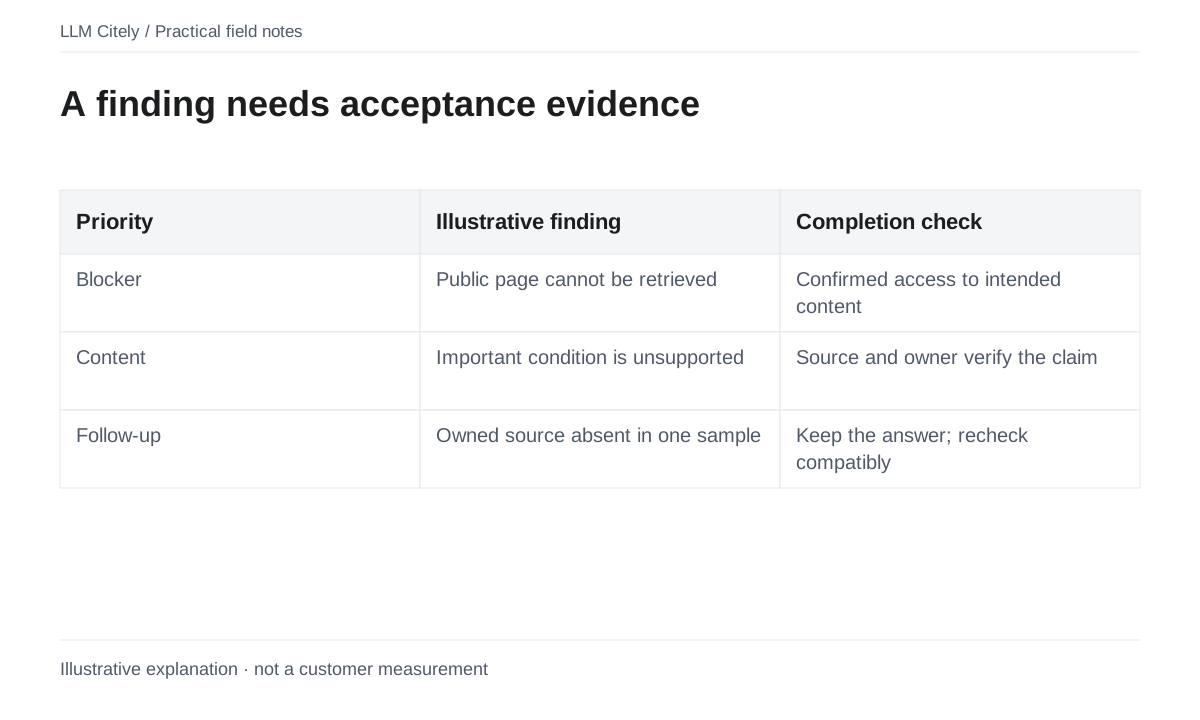
Connect each finding to its evidence and the decision it could improve. A verified access failure on a core buyer page may need attention before a formatting preference. A missing explanation on a cited product page is actionable when the business owner can supply the facts. A single absent brand mention is a baseline observation; it does not diagnose its cause.
| Priority | Use when | Next action |
|---|---|---|
| Address first | A reproducible access/indexing issue or unsupported important claim blocks the agreed page task | Assign an owner, confirm scope and correct the underlying issue |
| Investigate and improve | Compatible observations and page review identify a useful content or source gap | Confirm missing information, estimate effort and prepare a supported change |
| Monitor or obtain evidence | Coverage is incomplete, a result is isolated or its proposed cause is uncertain | Add the specific missing check or retain the observation for review |
Record impact, evidence confidence and effort separately. An unexplained aggregate readiness score can turn an unperformed check into a defect. Keep an acceptance condition with every proposed action: what fact, response, page content or later observation would count as completion?
Use the action-plan template to attach the owner, page, source evidence, status and verification method. A useful action plan does not promise that AI rankings or citations will follow.
Deliver findings and an action sheet
Transfer the audit evidence into the audit checklist. Separate a completed check, a review question and a check that has not been performed. The supplied-HTML example can fill only the technical rows below.
| Item | Evidence available in this HTML walkthrough | Next step in a full audit |
|---|---|---|
| Business/question/platform baseline | Not established by the checker | Confirm scope and save the sampling plan |
| HTML declarations | Five checks passed on submitted markup | Review their meaning and factual content |
| Content sufficiency | 72 words; review status | Evaluate the page against its buyer task |
| Live access | HTTP was not checked | Inspect the real URL response and relevant rules |
| Brand and competitor visibility | No answer sample in this walkthrough | Review readable answers and report missing observations |
| Citation sources | No sampled citation evidence | Inspect exact source pages and extraction completeness |
Give a real issue an owner and finish condition. For a corrected title, rerun the declaration check and read its wording. For a new capability explanation, have the product owner approve its facts. For access problems, repeat the real URL check. For an answer observation, preserve the compatible baseline and report uncertainty.
Continue with page optimization for a supported rewrite. The audit handoff should explain what can be acted on, what remains an investigation and which claims the existing evidence cannot support.
Recheck completed work and report limitations
Verify the change itself first: repeat the access or HTML check for a technical fix, and review approved facts and the page task for a content change. Mark the action complete only when its acceptance condition is met.
For later answer observations, reuse the same question wording/version, platform experience, market and measurement definition. Record the later collection date and missing results. Compare compatible samples and state what changed; a before/after result alone does not prove that your edit caused it.
Prepare the client report with the business scope, sampling plan, original evidence, coverage, brand/competitor observations, cited pages, priorities, owners and recheck results. Include unperformed checks and unavailable experiences beside the conclusions. Avoid a headline percentage without its denominator.
Choose the next review date from actual page changes, the client decision and collection cost. The audit loop is agreed scope → evidence → prioritized action → verification → report. A readiness checker result on its own completes only its stated checks.
Questions, answered.
What should a GEO audit include?
A full GEO audit includes the business and audience, buyer questions, named AI platforms and market, competitors, original answers, exact citation sources, website access/content checks, evidence-backed priorities, assigned actions, a compatible recheck and a report of coverage and limitations. Label narrower checks by their actual scope.
Is an AI-readiness score the same as visibility?
No. A readiness check describes the checks it performed. Visibility requires observed answers and a stated question set.
How often should an audit be repeated?
Recheck confirmed fixes when completed. Choose a recurring review cadence based on page changes, client needs and collection cost rather than a universal promise.
Can I run a full GEO audit by entering a URL in the free checker?
The public AI Readiness Checker reviews the HTML you supply; it does not fetch a URL, collect AI answers or inspect competitor visibility. Use its result as one website check, then obtain the separate access and answer evidence required by your audit scope.
Sources and further reading
- Introduction to robots.txt
- Block Search indexing with noindex
- Creating helpful, reliable, people-first content
Examples marked illustrative are not customer measurements.